Showing posts with label mapping. Show all posts

Tuesday, August 28, 2012

Portal 2 - Thaumaturgy Post Mortem Part 2

I forgot some things.

Hiding player-facing walls:


Okay, my original idea had the cube sliding back and forth in its room. When a weighted cube was lifted off the button, the circuits would move away and when placed, the circuits would move back. I had a little physbox on the back of each circuit that, when passing through a trigger, would hide and disable their respective circuits. However, the trigger wouldn't constantly fire it's outputs like it did in Here a Second ago. Instead, it'd fire once and not work until I disabled it, moved the circuits away, and re-enabled it. I still haven't figured out why that's the case.

I considered making the physboxes cover the entire surface of the circuit backings, but decided against it for some...reason... *shrugs*

Anyways, in the current build, if the weighted cube is not properly placed into its button, the wall hiding trigger will be enabled prematurely and some walls will not disappear making it hard to either a) complete the circuit or b) get into the interior. The trigger has a half-second delay so if you unpress the button too soon, it won't enable, but that's the best I've come up with so far.

Sliding:


As mentioned above, the cube initially moved back and forth. But as my control model moved more toward a realtime control, it became harder to make sure the cube would be flush against the wall. Since I could have arbitrary angles, the cube would clip into the walls, not something I wanted.

With my main method of getting into the cube gone, I thought about using linked_portal_doors, portalable surfaces, and light bridges as alternatives. As usual, the linked_portal_doors had a bug. In this case, once I stepped through into the cube, everything on the other side would disappear except world geometry and shadows. Portalable surfaces weren't very appealing as I'd have to cut more holes into the walls, thus making the solution either impossible or too easy. So, I settled on a light bridge.

Portal 2 - Thaumaturgy Post Mortem


So many things just didn't work in this map...oh where to begin.

Cube Rotation:

First, I wanted the circuit cube to move to the same position as the cube only when placed in the button. This led to a set of 20 triggers, a func_tank, 6 info_targets, and several momentary_rot_buttons. It was promising until I couldn't get it to match exactly due to how func_tanks don't have a continuous motion when going past -90 (Up). They spin in place and this threw the momentary_rot_button that controlled the face spin off.

The next iteration was a bunch of momentary_rot_buttons for each axis parented to each other. First run didn't work out. I needed a way to dynamically set the parents to prevent orientation distortion. I put a func_rotating in, but they aren't reliable for exact rotations. Even when set to 90deg/sec and spun for 1 second, they slowly become more and more inaccurate because the "stop" command doesn't happen exactly 1 second later.

So, I decided to try scripting it all. After spending 4 hours trying to get a basic "hello world" working (you would not believe how little there is for vscripting tutorials. It's all "here's the reference and what I've done, have at it!"), I managed to get a button to execute a function (Using the console is unreliable. It seems to work more often when you actually have parameters to pass. Not having parameters results in errors because Source doesn't want to search for your PerfectlyCapitalizedFunction() and searches instead for PerfectlycapitalizedFunction() thus throwing an "It doesn't exist!" error).

Anyways, I setup a basic "AddDegreesToX(x)" function for each axis and put the script on a single func_brush. Once the brush was flipped on any two axes (180), adding or subtracting past 90 on the third axis would result in jittering. This jittering made no sense either. Why? My debug output was telling me -90 - 1 = -89 AND -89 -1 = -90. Same went for 90 + 1 = 89 and 89 + 1 = 90. Source refused to do proper math.

This led me to believe I had to do 3d programming in Squirrel. Let's just say that didn't go well. All the code I found was immediately broken because my initial angles were zero and 0 * cos(angle) - 0 * sin(angle) =, you guessed it, zero. The tutorials I found were all for manipulating the actual vertices of a cube with each face represented in matrices, not rotating a 3d model in a game engine. I never took 3d programming and, frankly, my head was spinning at that point.

However, that got me thinking I should use multiple rotators and just parent the circuit cube to the one I needed at the time. Well...it kind of worked. It appears logic_measure_movement copies and pastes angles, so every time I changed parents, the circuit cube was given an entirely different set of angles instead of just adding to its own.

I took a break from all that programming to go with a more visceral method of manipulating the cube: Walking into a projector that shows arrows that, when pressed, rotate the cube in that direction. The code was already there, I just had to build the button framework and implement player view/collision separation. Piece of cake, right? Well, I ran into that little issue of "when you rotate enough on two axes, you flip the third". This effectively reversed the function of the buttons on that third axis, not good.

So, I tried again, but instead of keeping the buttons stationary, I made them move with the cube's angles through another logic_measure_movement. It worked to a point, but after enough rotations, the problem came up again. Solution? Use the "rotating axes" idea to parent the buttons only to the axes they didn't rotate. So, X would rotate along YZ, Y along XZ, and Z along XY. While it looked kind of cool, it only made the problem occur sooner instead of not at all. Also, I was getting motion sickness from being a ghost inside a rotating cube. I abandoned the button idea at this point.

Next, I tried using a logic_measure_movement on a weighted cube, but I couldn't separate the translational data from the desired angular data. So, I went back to scripting and made a small function that copied the angles of a SourceCube and applied them to a TargetCube; no translational data transferred. That worked perfectly, until I changed the TargetCube from the model to a brush. Model-to-model worked fine, but model-to-brush rotated the angles by 90 on the Z (or is it Y? Whichever is up in Source) axis.

There was also this annoying bug where instead of setting the degrees exactly, 359.1 degrees would become -.9. so everything was a little off. I resolved this by going back to a model-to-model...uh..model, using a logic_measure_movement on the TargetCube and having it influence the CircuitCube. And that worked perfectly, again. Each rotation of the SourceCube was piped through the entities and correctly applied to the CircuitCube. So, the pipeline was SourceCube - > script -> TargetCube -> logic_measure_movement -> CircuitCube. Awesome.

The circuits:

I had circuits from my first "Circuits" map. They were alright, but I didn't like the fact I had the triggers outside of the instance and didn't really have a way to track the "flow" without explicitly setting one up. For a 3D cube where you can set many paths, this wasn't going to cut it. So, I dove in and rearranged the internals of the instances and added triggers and movelinears to function as flow control. If a trigger is hit, its corresponding movelinear moves up to hit the next trigger in sequence. This was doubled up so the circuits could be bidirectional if desired.

The new circuits worked like a charm except when it came to arranging them into a cube.

First, there was an annoying bug back when I had the cube parented to a momentary_rot_button. Each circuit's backing was a func_brush that was then parented to the center of the cube, a momentary_rot_button. It turns out "using" a func_brush parented to a momentary_rot_button will cause the button to rotate partially with respect to the axis selection. I turned on Developer 3 and ent_messages_draw 1 just to see where the erroneous i/o was coming from and there was nothing. No links whatsoever. The bug even persisted when both the brush and the button were set to ignore +use! This was eventually solved when I settled on making the CircuitCube's center a func_brush driven by the scripted movement measure system.
*Note: Parenting the brush to a physbox parented to the button did not produce the error at all*

Next, it turns out moving triggers will trigger with no apparent provocation when moving and they'll stay triggered until they hit a nice 90 degree angle (and sometimes, not even then). Needless to say, this was a big problem as it meant if you spun the cube right, you could glitch your way through the map. Sadly, this wasn't fixed. Filters don't even combat this. Sure, I disable them before motion, but if you enable them and they aren't at an angle they like, they'll fire their outputs.

I still didn't change the method of circuit rotation. I have a nice script to handle it and, since they only rotate on a single axis, it *should* work. Since I haven't released the map, I may still try it so you get a better experience.

And then I forgot to turn off the Afterburner OSD and had to record the run-through video twice.

Saturday, August 18, 2012

Restoring The Witcher 2 backup saves

I finished The Witcher 2 on Iorveth's path today. So, I decided to restore the Chapter 1 big decision save I made so I could go through Roche's. After backing up and clearing my Iorveth saves, I extracted the big decision save and started the game. And...the Steam Cloud restored my saves and The Witcher 2 completely ignored my save.

So, I deleted all the saves again, restored the one I wanted, and turned off the cloud. Still nothing. So, I tried restoring every single save I ever made. This resulted in the game botching their playdates and presenting them out of order with some missing their thumbnails. Quit out, delete, and restore the single save with cloud storage enabled. My save was ignored, but the cloud saves were present. This prompted me to delete each save through the game's interface to delete them from the cloud.

This made sense in theory, but only resulted in an undeletable thumbnail due to its corresponding savegame being deleted without it (I have no idea how Steam could miss deleting the thumbnail). This meant that I couldn't reduce the cloud storage for The Witcher 2 to 0 bytes for some forum post's magic condition that makes the game read from the My Documents savegame folder again.

This was followed by another 45 minutes of screwing around with changing CloudStorage=false in User.ini, enabling/disabling cloud storage both ingame and out, and trying to force the cloud to load my manual save by getting the file sizes and names, tweaking times, and generating Sha-1 hashes for my save and its thumbnail. I even cleared the gamedata registry value to see if that would help. No dice.

I came across a post about the patch that broke savegames due to compression and suggested that version mismatch between the game and the save was the problem. So, I verified The Witcher 2's game cache integrity. About 35% through, I decided it was taking too long and cancelled the operation. I tried to start The Witcher 2 again, but I guess the verification purged all the registry entries and Steam tried to do the first time setup again. This meant I had to manually set the registry values again since even after running the first time setup, steam will fail to set the "I'm done" registry entries for each step except DirectX. For reference, I've copied the posts I used to fix this here:

--------------------
Quote:
Originally Posted by Who Cares View Post
Another solution involves a registry hack.

open regedit and go to (on 32 bit XP that is):

HKEY_LOCAL_MACHINE\SOFTWARE\Valve\Steam\Apps\20920

Should show:
default REG_SZ (value not set)
DirectX Reg_DWORD 0x00000001 (1)

Need to add
dotNetFX40 Reg_DWORD 0x00000001 (1)
vcredist Reg_DWORD 0x00000001 (1)

Adding a value:
right click, select new, select DWORD
fill in the name of the value, double click and fill in 1
For 64-bit win7 it's:
HKEY_LOCAL_MACHINE\SOFTWARE\Wow6432Node\Valve\Stea m\Apps\20920--------------------

Once those keys were set, I put copies of my save in both the My Documents savegame folder AND the steam 20920 userdata savegame folder, turned on cloud saving, and started the game. IT WORKED!

I think something about verifying the game cache purging registry keys fixed it. To make certain it wasn't a fluke, I loaded the game, make a quicksave, quit the game, restarted it, and both saves were there. I still have that annoying thumbnail sitting there, so I need to screw with its filesize and try to force the Steam Cloud "FILE MISMATCH!" prompt to appear.

----------------------

I'm debugging a Portal 2 map idea right now. I am starting to loathe linked_portal_door. It can't move, flickers, and crashes (The ent, not the game) if a func_brush passes through it. This is crippling my idea something fierce. The initial idea was great and I managed to reduce its implementation complexity by substituting existing entities in place of reinventing the wheel, but I'm hitting that "Source can't do that" wall again.

Friday, July 27, 2012

Just another post

I picked up Dead Island during the Steam Summer Sale after watching the GameTrailers review. I have an odd feeling that they played the console version because, well, the PC version is terrible. I'm noticing a trend where I say "Game X is screaming console port!" and I think it's because, well, I keep playing games that are console ports...but anyways, this one is definitely in that category.

The following is a list of things that I...noticed while playing the game:

  • Rebinding the Use key doesn't completely work. There are instances where I had to press the originally bound key to do anything.
  • No quickslot keys. I have to use the middle mouse button to pull up a radial menu.
    • The camera moves a little until the mouse moves past a threshold wherein the radial menu completely redirects input. So, the radial arrow AND the camera both move for a little bit.
  • Switching weapons into radial slots takes a second before it registers. So, if you exit the menu too quick, your weapon won't switch spots.
  • You have to sell stacks of items one, at, a, time.
  • Inventory is categorized and placed in one huge list.
    • Not sortable.
  • I can carry bottles of bleach, several cans of food, bottles of water, nails, batteries, large batteries, a dozen bottles of champagne, and several engine parts, but can't carry more than 16 tonfas, 75 pistol bullets, 90 rifle bullets, and 30 shotgun shells.
    • I get it. The tonfas are weapons and the rest are misc/crafting materials, but I raised my eyebrow at this several times because, if you're going to be somewhat realistic about ammo, why stop there?
  • Skill descriptions persist instead of only appearing when the mouse hovers over them.
    • They also obscure everything underneath them, so you have to click around in order to reveal the skill tree.
    • Some descriptions are a bit...weird.
  • If I alt+tab, vsync turns off.
  • I've lost audio for everything but cutscenes once. No idea why.
  • No FOV slider
  • Shotguns or assault rifles at point blank range tend to do no damage to npcs, but npcs can shoot you at the same range.
    • If I aim at an enemy and fire, it'll miss when the second shot from the same position hits. Yes, guns sway, but when the sway never takes you off the target (at around 20ft), shouldn't I hit?
  • Gun specialist with no guns for the first quarter of the game.
    • Except for her Fury.
  • Mouse acceleration dramatically different between the menu and ingame.
    • Too low and your camera is perfect, but your mouse has to run the length of a football field in order to get anywhere in the menus.
  • The blood effect I had on screen has become a white, textureless blur. <-- I'm a bit concerned about this one. Better retest my graphics card.
  • I got killed by a car door as I exited a vehicle while it pulled to a stop.
  • My checkpoints are always where the main quest is, not where it says "checkpoint saved" or whatnot.
  • Cars disappear if you venture more than 100 yards away from them. "Why yes, I wanted to trek across the entire island to turn in this quest."
  • In one quest, you can't leave a key character in the SAFE ZONE without failing a quest and being forced to restart. However, you can leave said character in the middle of nowhere with no defenses whatsoever.
  • If I have a stack of medkits, but my inventory slots are full. I cannot pickup another medkit and add it to the stack until I drop a weapon, pickup the kit, and then pickup the weapon I dropped.
  • One cutscene sequence at a police station has no sky and reminds me of the hall-of-mirrors from the Source engine. Repeatable and only this cutscene, not the others.

Fortunately, a few key issues were addressed using Dead Island Helper and I've been enjoying the game. However, I've been running into the "No mic = ban" groups. Yes, yes, voice chat is very useful for coordination, but I've had enough people abusing it in the past to a) turn it off and b) not bother finding out what is wrong with my mic (bass boost/constant hum).


------------------------------------------------------------------------------------------------------

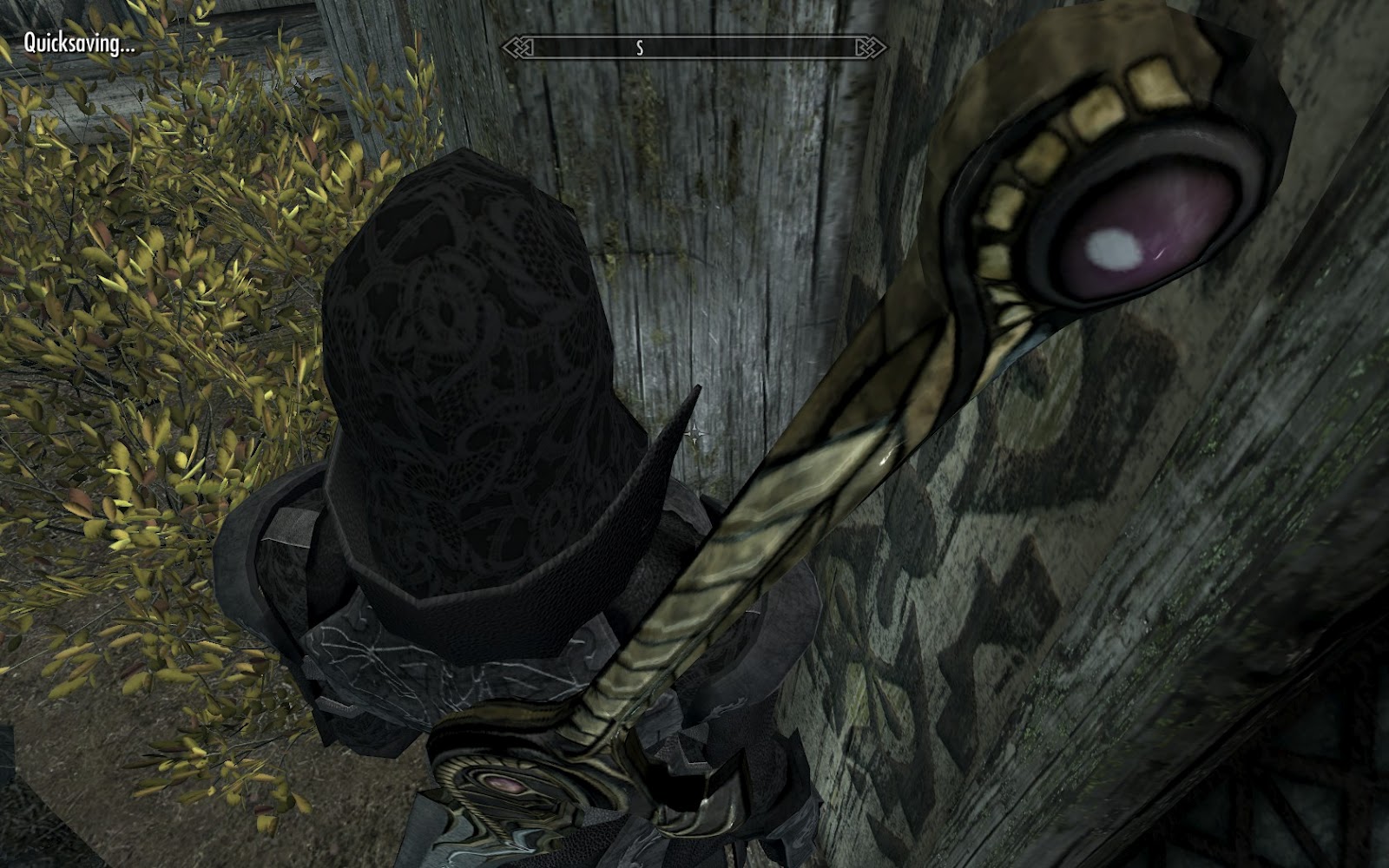
Anyways, I'm thinking about releasing my black leather duster clothes model for Skyrim. It's still giving me this weird stretched polygon issue. I'll have to start it from scratch to ensure all vertices keep their numbers. This does annoy me because, as I've said before, the heavy model was the original scaled up in places to accommodate a thicker body. Nothing else was changed, even the weightmaps are the same.

------------------------------------------------------------------------------------------------------

I tried getting another Portal 2 map fleshed out, but wound up starting yet another one and tweaking my Backstock map. And now, I've forgotten to work on any of them because I've been running around in Dead Island ("Get money's worth" *grumble grumble*).

------------------------------------------------------------------------------------------------------

2k Games has put up their, what seems to be, quarterly "QA Testers needed" posting on Craigslist. I've applied in the past, but never got a response, not even an automated one. Now, I'm not sure I even want to drive 45 miles and pass LAX twice a day. I think I once calculated that the money the job paid was not enough to cover the cost of driving to and from their general location. Making negative income, brilliant! Of course, whatever I concluded from that is void because the vehicle I drove then had its transmission die (100mi from home no less) and I now have a more fuel efficient car (No, I didn't buy it. It was a gift and I can't even cover the insurance or car wash. My parents have to.).

I really want to get a job in which I either fix PCs or work on some aspect of Game Development (or both!), but about 75% of the applications I've sent out never received a response of any kind. The 25% that did were mainly for programming positions where I bombed the phone interviews because my vocabulary was terrible. I know what I'm doing (mostly), but can't express it in the exact textbook technical terms they want. I'm only applying for entry level positions, mind you.

I did have an interview with a game publisher last year, but they misread my resume and thought I ran focus testing instead of being a focus tester. So, when that came up a quarter of the way through the interview, they just went through the motions to humor me. When I followed up saying thank you, I got no response back. When I knew I didn't get the job a month later (how could I not know from the get-go?), still no messages.

I'm finding that if I get an interview, I don't get responses back and any further attempts at contact are met with silence. I've been at it for almost a year and a half. I hate my job (i.e. job hunting) so much that I don't do it. I'm tired of these oneway conversations. At this point, my CS degree is worthless ("Oh, a degree. What else ya got?") and the only thing I've programmed in that time was a couple weeks ago. 10 lines of code to brute force calculate a number whose right edge on a number line would match the left edge of another number. Thrilling. Better slap that on the resume.

What really gets on my nerves are all the postings that are blatant "We want to exploit those of you who have lost your jobs because of the recession" positions. What I mean is for a part-time PC technician position, I had to have 5-10 years experience and previously worked on enterprise-level hardware and/or ran an IT department for a big company. The job paid $15/hr and was for some local PC repair shop (of course, they didn't say who they were, so I couldn't bike over and shove my resume in their face). The job was basic PC troubleshooting, some network troubleshooting, assembly, some part swapping, and the occasional house call.

I did apply for idTech camps as an instructor, but after blowing the bully question ("I'd ask him to stop and move him from his target. If repeated, I'd call him out. If continued, I'd put him outside."), I didn't get the job, much to my relief; I'm a terrible teacher. This was the "Oh fine, why not?" application. Of course, now I can mark "familiar with 3ds max". *sigh*

Wednesday, June 20, 2012

Duster and other issues

--------------------------------  In response to a comment on YouTube about if I'll use the Portal 2 PTI editor or stick with Hammer. Original post here: http://rand0mnumbers.blogspot.com/2012/05/portal-2-map-maker-versus-authoring.html

 The argument of "easily roughing out a room" doesn't hold water with me. If I want to rough out I room, I want exactly that, a rough out. Simple walls thrown up with dev textures. Using the PTI gives you semi-polished rough outs. Panels all set and ready. Now, don't get me wrong, that can be extremely useful...if you aren't going to toss the entire thing into Hammer and have to deal with aforementioned 128x128x128 blocks (which are a completely valid way of blocking out a level) and then touch every element to make it easier to work with. I'm better off staying in Hammer. To save space, you can find the rest in my original post on this topic.

The blocks also annoy me because they remind me of my first run in with UnrealED in high school. Everything was subtractive brushes and models. We had limited modelling experience and were expected to use a model-based engine to build levels/games (it was a Video Game Design class). I had been using Hammer for about a year at that point.

Off topic: I hated that class. Why? The final was a game design doc that had to be completely filled out with a minimum number of pages per section and feature. I wrote down and fleshed out as much as I could using a 12pt font, but fell short of the minimum number of pages in a few sections. I can understand getting a low grade for that, but when classmates get high scores for using 20-60pt font to meet the minimum number of pages, that gets on my nerves. "But they thought outside the box!" Grr....

-------------------------------- In response to typing out my response to the above comment only to have errors popup everywhere

I'm really disliking YouTube right now. Every time I open a page, my keyboard input is immediately snatched by the player. This means that every single keybinding is fired off when I start typing in a comment box despite clicking in the comment section to give it focus (Fullscreen! Select button! Hit play! Pause! Change resolution! Mute! Pause! Play! AAAARRRRGGGHHH!). I have to hit escape half a dozen times to make flash realize I don't want it to have focus.

And another thing. Hitting Enter in comments posts the comment instead of starting a new line. I was halfway through a comment and, upon hitting enter, wound up posting it unfinished. That irks me to no end.

Maybe this is just that Flash Player bug. It completely crashes Firefox on Windows Server 2008 R2, but Windows 7 seems to tolerate it. How in the world did 11.3 get past QA? Does Adobe even use QA for Flash? Surely someone had the issue before release given. Do they not test on Firefox anymore (I think it works fine on every other major browser)?

-------------------------------- Duster model issues

I got the bone weights all set for the duster's light model, exported it into Skyrim, and watched the poly deformations work like I wanted them to...almost (more in a bit). So, I though I'd use the SoMuchMorpher plugin to bulk out the model and put my skin weights on it. Here's where the problem started: I exported the bulked out model. This changed the vertex numbering thus resulting in my character turning into an exploding ball of polygons. Each model works fine on their own, but naming them to work with the weight slider blows everything out of proportion, literally.

Okay, so I'll just go back and keep it in the scene instead. Wrong. I don't know how, but 3ds Max saved the changes to the skin modifier and, when I opened backup scenes, botched the weights when all I did was select the modifier on the stack. Now, the only working copy I have is the exported nif that, when imported, only imports as an Editable Mesh; severely limited the modelling options I usually have with Editable Poly. I can't convert to Editable Poly without deleting my fine tuned skin modifier.

Now, I think I'll have to duplicate the mesh, delete the skin modifier, convert to Editable Poly, copy/paste the Skin modifier or Skin Wrap it and hope that it works. I can't move the original around because it'll snap back to the skeleton and choose some arbitrary offset that I can't get rid of.

For making the bulky model work, I think I'll have to use the morpher, and add a 3rd skin wrap modifier to overwrite the weights with the ones I want, export, and hope that it doesn't screw with Skyrim's interpretation of the models.

Update on Duster:
It seems anything I do will destroy either the skin modifier or the vertex order, meaning the 3 hours I spent working on it have gone out the window. But at least I'm more familiar with weighting vertices.

There's also a big issue regarding the duster crumpling into itself because the female idle animation squashes body parts together. I don't know how I'm going to address this.

Monday, May 21, 2012

Portal 2 Map Maker versus Authoring Tools

I've been asked multiple times on Steam's Portal 2 Workshop why I don't use the Map Maker. Rather than make several consecutive posts to fit my answer each time (1000 character limit), I'm going to put it here and link to it whenever I'm asked.

Opening Map Maker generated maps in Hammer results in 128x128x128 instances that are annoying to work with. I would have to make a replacer instance to substitute my desired wall thickness, realign and fill in tile gaps as a result of the replacements, cleanup and reapply all overlays, add and adjust lights, and tweak lightmap resolutions. By that time, I would have to scrap it all just to get whatever idea I wanted to implement in. Yes, I broke reasonable order and put all the work first to make it sound like a bigger deal.

Furthermore, I require the amount of flexibility Hammer offers to build my maps. I can't do what I do in the Map Maker. There are too many constraints, hidden entities, and limited features; it's just too restrictive. There is no prototyping my ideas in the Map Maker. I build from the inside out. Start with an element and add onto it. Starting from the outside-in is a hassle I don't want to deal with.

If I'm trying to make an idea a reality for the first time, I have no clue what I'm doing. How thick do I want walls? Pfft. How should I know? "Wow, making that brush a *insert brush entity here* really throws a curve ball" "This area's shadows are too strong/weak. I've got to adjust that." "But what if I...ya...that'll work!" "I want a custom texture there." "Huh, the engine supports more i/o than the fgd shows, better fix that"

So, mostly, it is me being stubborn and hiding behind personal preference. The other part is this: "Can you make a ferris wheel in the Map Maker?" I didn't think so.

Also, you are locked to the clean visual style with no option to break up tile textures how you see fit. Now, I admit, I've been defaulting to the clean style in my later maps, but the lack of style options is a big turn off. And I can see why they wouldn't have it.

Making the option would most likely be easy, but tedious. If you so much as use a laser, you've made your map unable to be used for 1970's Aperture. Foliage would have to be cleaned out if you changed from the destroyed theme. You want bts? Well, be sure to flag what walls you want to keep and hope that the generated vactubes won't mess up your map. What's that? There are no arms in Old Aperture, so much for those elements.

In short, I started with Hammer and that's what I'm used to. The random crashes, stupidly high memory usage, occasional failure to update assets, complete failure to reflect model changes on props, and graphical glitches are all familiar. This Map Maker is not a replacement for it. It is a way for people to break into mapping. Now, advanced Hammer users have created amazing maps in the Map Maker. I'm just not one of them.

Friday, April 13, 2012

Test Map Pack 4 Released

I had to take a couple days to comb through the last 7 maps to iron some things out before release. For a twist, though, I actually had a couple people playtest the maps and provide feedback.

The maps this time around weren't as complex in implementation or concept as my others. I'm not sure what to make of that. I had fun anyways, so I don't think it matters.

Grab it here

For those that haven't played my other packs:
Test Map Pack 1
Test Map Pack 2
Test Map Pack 3

And here's my first released Portal 2 map (which was actually made while I was in the middle of Test Map Pack 1):
Bits or Pieces

Monday, April 9, 2012

Portal 2 - Don't Look Back video release

Took a while to get this together. I was working a lot on a mod and things didn't click for a bit.


I'm pretty happy with it. It does make me want to mess with material proxies again. You can achieve quite a lot with them.

I believe I have 7 maps done, so now I can get to compiling Test Map Pack 4. That means linking them up with transitions/triggers, compiling both HDR and LDR, playtesting, and packing materials.

Wednesday, April 4, 2012

Another day, another project

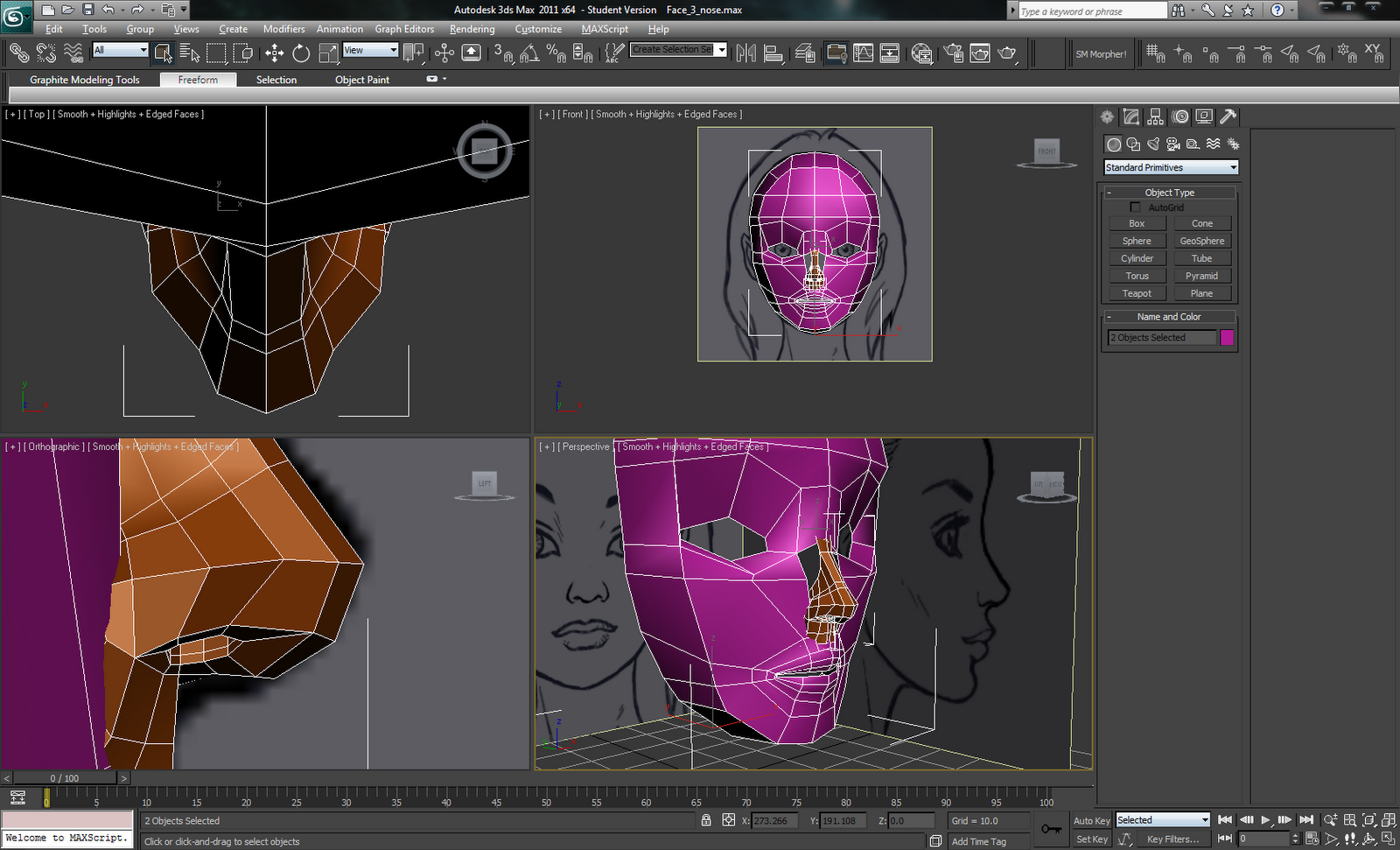
   Iwkya1 has been continuing his 3d character modelling tutorials. Lately, it's been eyes, mouth, and nose. It's rather interesting how you can get such a low poly shape that (more or less) accurately represents rather complex features. I had thought you'd go all out and make it as high poly as possible, then reduce it down so you preserve what you want while still having a high poly version to do baking.

   I know I shouldn't, but I'm waiting for Iwkya1 to merge the meshes together. I want to see if he has some trick to it.


   I haven't been doing a lot of mapping for myself lately. Right now, I'm working on a little scene for a mod and making its logo. I think I'm going to revisit an idea that didn't work and make it so I can finish Test Map Pack 4.

   I've imported the Vigilance Greatsword from Dragon Age 2 into Skyrim. I liked it in both Awakening and DA2. Being that it was never obtainable in game, the HD texture pack for DA2 didn't include a higher res version. So, I've been recreating every little piece of it using vectors in Photoshop so I can scale it up easier.
   The mesh is low poly but uses what appears to be a high poly generated normal map. I scaled that up using Bicubic Smooth enlargement to double its size in 10% increments. Then, I used the blur tool to get rid of pixelation (probably not the best solution, but it worked).

These are old pics of Vigilance I was using to see what was wrong. I'm correcting things now.


Maybe I should email the devs and ask if they could release/send me the higher res texture. Asking for the mesh would probably raise some flags.

Tuesday, March 27, 2012

I need to slow down time

I've been busy with mod work and following modelling tutorials. I'm recreating the head because it was too high poly compared to the body. So, I'm doing the box modelling approach instead of spline to help keep polycounts down.

The mod work has taken me away from actually making my own maps and bouncing ideas off the team has resulted in them doing the ideas instead of me. Sadly, I like to avoid doing what I've already seen done in Portal 2 (unless it's an improvement over what I've done before), so I'm back to the drawing board again.

So, here's a video of what currently isn't working out for me:


As usual, there's more information in the video's description.

Monday, March 12, 2012

Portal 2 - Push and Pull Video is up


I finally got Steam working again by deleting my botched skin and all files except my steam.log, screenshots, and DX:HR saves. Had to do a check with TreeSizeFree to see which folders contained screenshots and save files (I hate Steam's obfuscated userdata folders).

I had to restart Steam, again, and almost everything worked. I had to let it redownload missing game files (turns out not everything is in the SteamApps folder aside from saves/screenshots) and convert various games to the new file system that were already converted before I began (at least, I thought they were).

So, here it is: Map 6 of 7 for Test Map Pack 4. More details in the video description.